
The Apple iPhone 18 Pro is a premium smartphone designed for advanced photography, powerful performance, professional video recording and everyday productivity. With its A20 Pro processor, advanced 48MP camera system, Super Retina XDR OLED display and improved thermal architecture, it brings sophisticated technology into a compact device.
However, advanced smartphone technology also makes repairs more specialised. A damaged display, malfunctioning camera, charging failure, battery problem or motherboard fault requires accurate diagnosis and an understanding of the device's internal architecture.
If you are searching for iPhone 18 Pro repair in Bangalore, it is important to understand more than just the replacement price. You should also consider component compatibility, software calibration, data protection, repair quality, warranty implications and post-repair testing.
At iDoCare – Phone and Laptop Service Centre, Malleshwaram, Bangalore, customers can enquire about iPhone display replacement, battery troubleshooting, charging repairs, camera diagnostics, back glass replacement, motherboard micro soldering and data recovery assessments.
This comprehensive guide covers the iPhone 18 Pro's repair challenges, common hardware and software problems, repair costs, technical considerations and how to choose a reliable iPhone repair centre in Bangalore.
1. iPhone 18 Pro Technical Specifications and Repair Considerations
Understanding the device's specifications helps technicians identify the correct components and diagnose hardware problems accurately.
|
Specification |
iPhone 18 Pro |
|
Display |
6.3-inch Super Retina XDR OLED |
|
Resolution |
2622 × 1206 pixels |
|
Refresh rate |
ProMotion up to 120Hz |
|
Processor |
Apple A20 Pro |
|
Main camera |
48MP Fusion with variable aperture |
|
Ultra-wide camera |
48MP Fusion |
|
Telephoto camera |
48MP Fusion |
|
Front camera |
18MP Centre Stage |
|
Protection |
Ceramic Shield 2 front and Ceramic Shield back |
|
Connectivity |
USB-C |
|
Operating system |
iOS 27 |
|
Water resistance |
IP68 under specified laboratory conditions |
|
Security |
Face ID |
The iPhone 18 Pro also incorporates advanced camera mechanisms, an updated internal board layout and an improved vapour-chamber cooling system.
These technologies make model-specific diagnosis particularly important.
For complete product information, refer to Apple's official iPhone 18 Pro specifications.
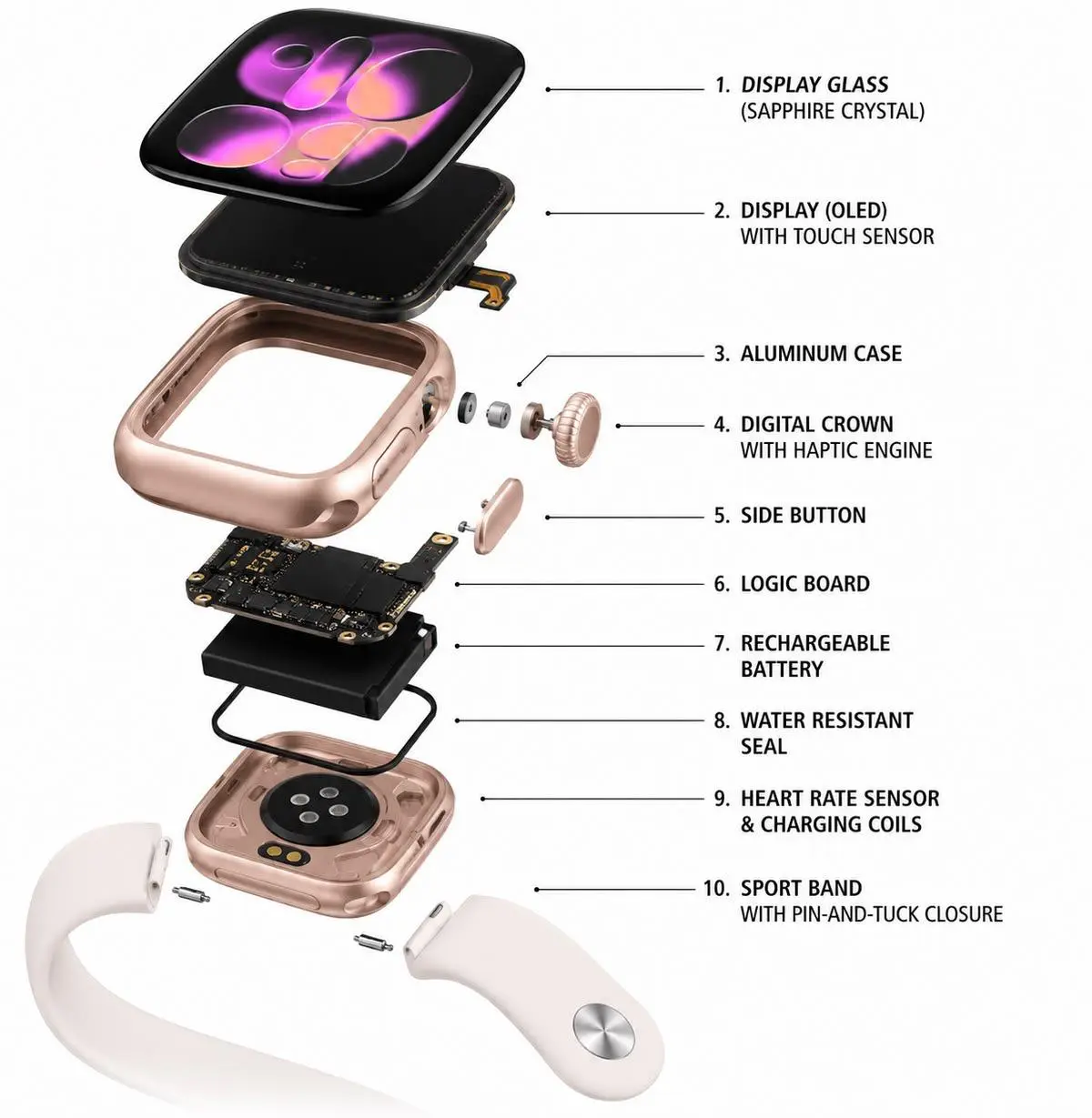
2. Understanding the iPhone 18 Pro's Internal Repair Architecture
One important difference between a generic iPhone repair article and a useful technical guide is explaining how the actual device is constructed.
- Display-first internal access

The iPhone 18 Pro uses a front-display entry design for accessing several internal components.
This matters because opening the device for a battery replacement or internal repair requires careful display removal.
An iFixit teardown reported that the display frame was damaged during removal in three of four examined devices. This small teardown sample does not establish a universal failure rate, but it highlights why controlled heating, suitable tools and experienced handling matter.
A repair technician should consider:
- Display adhesive condition.
- Screen-frame integrity.
- Internal cable positioning.
- Connector condition.
- Replacement perimeter adhesive.
- Final enclosure fit.
This is especially important when the original display is still functional and the repair does not require replacing it.
- New battery tray and replacement considerations

The iPhone 18 Pro uses a screwed-in metal battery tray, making battery removal more structured once the display has been safely removed.
However, the battery is still integrated into a more complicated opening process.
A professional battery replacement should include:
- Battery condition assessment.
- Power and charging diagnostics.
- Controlled device opening.
- Safe battery removal.
- Appropriate replacement component installation.
- Software calibration where required.
- Charging and temperature checks.
Replacing a battery without diagnosing the underlying power problem may not solve the customer's issue.
C. Advanced motherboard and NAND storage architecture
The A20 Pro and logic-board layout introduce additional considerations for advanced repairs.
iFixit's teardown explains that NAND storage sits within the logic-board sandwich. Accessing these storage components can require more involved board separation and specialised work.
This has an important consequence for data recovery.
Because iPhone data is protected by encryption, removing the storage chip and placing it into another device is not a simple way to recover photos or documents.
A specialist may need to diagnose and repair the original logic board sufficiently for the phone to boot and allow data access.
This is why customers with important data should avoid unnecessary motherboard replacement or software restoration before discussing recovery options.
3. Common iPhone 18 Pro Problems and Professional Repair Solutions
3.1 iPhone 18 Pro Screen Replacement in Bangalore
A damaged OLED display can affect the entire smartphone experience.
Common symptoms include:
- Cracked screen glass.
- Black screen with vibration or sound.
- Green or white display lines.
- Touchscreen not responding.
- Flickering or brightness irregularities.
- Ghost touches.
- Partial display failure.
How is the problem diagnosed?
A technician should inspect the OLED panel, display flex cables, connectors and related circuitry.
If the display assembly is damaged, replacement may be necessary. If the issue originates from a connector or logic-board fault, replacing the display alone may not solve the problem.
Important screen replacement considerations

The iPhone 18 Pro supports advanced display features such as ProMotion, True Tone and high brightness.
After replacement, the repair provider should check:
- Touch response across the entire screen.
- Display brightness.
- Colour reproduction.
- ProMotion behaviour.
- True Tone functionality where supported.
- Proximity and ambient-light sensor operation.
- Face ID functionality.
- Display calibration and part status.
Customers should ask what type of display is being installed and whether the required calibration procedure is supported.
3.2 iPhone 18 Pro Battery Replacement and Fast Battery Drain
Battery problems can develop because of normal battery ageing, charging cycles, temperature exposure, software activity or internal power faults.
Warning signs include:
- Rapid battery percentage reduction.
- Unexpected shutdowns.
- Abnormal heating.
- Battery service warnings.
- Inconsistent charging.
- Reduced battery runtime.
What should be checked before battery replacement?
A professional diagnosis should examine battery condition, charging behaviour, power consumption and possible software-related causes.
If battery degradation or failure is confirmed, an appropriate replacement may be recommended.
Does iPhone 18 Pro battery replacement require opening the screen?
Yes. Its internal design requires front-display access to reach the battery assembly. This is why display handling is an important part of the battery replacement process.
Customers should ask about display handling, replacement adhesive, calibration and battery warranty.
3.3 iPhone 18 Pro Camera Repair: Variable Aperture and Camera Module Problems
This is one of the most important model-specific repair subjects.
The iPhone 18 Pro features a 48MP main camera with variable aperture.
Unlike a basic fixed-aperture camera, its mechanical aperture mechanism uses multiple tiny moving blades to control the amount of light entering the camera.
Possible camera problems include:
- Camera showing a black screen.
- Blurry images.
- Autofocus malfunction.
- Unusual camera vibration.
- Camera shaking during video recording.
- Camera glass damage.
- Variable-aperture mechanism failure.
- Zoom or camera-switching problems.
Why does the variable-aperture mechanism matter?
The tiny mechanical components operate with very precise tolerances.
Damage to this mechanism may require replacement of the complete camera assembly rather than attempting to repair individual aperture blades.
A proper camera diagnostic should examine the camera module, connectors, stabilisation system, lens protection and software behaviour.
After repair, test:
- Main camera.
- Ultra-wide camera.
- Telephoto camera.
- Autofocus.
- Optical zoom.
- Video recording.
- Variable-aperture functionality.
- Camera stabilisation.
- Flash operation.
3.4 iPhone 18 Pro Face ID and Front Camera Problems
Face ID is an important security feature, and problems involving the True Depth camera system should not be treated as ordinary front-camera faults.
The iPhone 18 Pro has a changed front-camera arrangement, with its infrared camera positioned beneath the display.
Possible symptoms include:
- Face ID unavailable.
- Face recognition failing intermittently.
- Front camera showing a black screen.
- Portrait or selfie camera problems.
- Face ID warning messages after repair.
What should be checked?
A technician should inspect the front-camera assembly, associated connectors, display-related areas and relevant software diagnostics.
A display replacement should not automatically be assumed to be the solution for every Face ID problem.
After repair, verify Face ID functionality and follow the appropriate Apple calibration procedures where applicable.
3.5 iPhone 18 Pro Charging Port and USB-C Problems
Charging failure may be caused by a damaged USB-C connector, internal flex cable, charging circuit, battery or liquid exposure.
Common symptoms include:
- Charging only at certain cable angles.
- Slow charging.
- No charging response.
- Intermittent USB-C connection.
- Computer not recognising the phone.
- Accessory connection problems.
The iPhone 18 Pro's USB-C connector is connected through an internal flex arrangement. Its replacement involves more than simply removing an externally visible connector.
Diagnosis should include cable and adapter testing, connector inspection, charging measurements and internal circuit checks.
Also test wired data connectivity and compatible accessories after repair.
3.6 iPhone 18 Pro Back Glass and Housing Replacement
The rear glass and housing can be damaged following an accidental fall.
Common symptoms include:
- Cracked rear glass.
- Camera glass damage.
- Bent housing.
- loose internal components.
- Wireless charging problems.
- Physical gaps around the enclosure.
A technician should inspect the frame, wireless charging assembly, camera area and internal components before recommending replacement.
After repair, check wireless charging, MagSafe alignment where applicable, camera function and enclosure fit.
3.7 iPhone 18 Pro Motherboard Repair and Micro soldering
Motherboard faults may cause serious device problems.
Symptoms include:
- Completely dead phone.
- No charging response.
- Boot-loop issues.
- Repeated restarting.
- Network problems.
- Abnormal power consumption.
- Failure to switch on after liquid exposure.
Possible causes include damaged power-management components, charging circuitry, connectors, corrosion or other board-level faults.
Can the iPhone 18 Pro motherboard be repaired without replacing the entire board?
Some faults may be repairable using component-level diagnostics and micro soldering.
A technician may identify and repair a damaged component or connection, depending on the condition of the original board.
However, not all logic-board faults are repairable. Storage, processor, security and extensive multilayer-board damage can make recovery especially difficult.
Read more about iPhone motherboard micro soldering repair in Bangalore.
3.8 iPhone 18 Pro Overheating and Thermal Management Problems
The A20 Pro uses an updated thermal design with an enlarged vapour chamber to distribute heat.
However, a sophisticated cooling system does not mean that overheating can never occur.
Possible reasons for excessive heating include:
- Heavy gaming or video processing.
- High ambient temperatures.
- Background software activity.
- Charging-related heat.
- Battery deterioration.
- Internal hardware faults.
- Damage to thermal-interface components.
How should overheating be diagnosed?
First, establish when the heating occurs. Heating during demanding applications is different from overheating while idle.
The technician should investigate battery condition, charging behaviour, software activity and potential internal hardware problems.
Avoid opening the device or disturbing thermal components without appropriate technical knowledge.
3.9 Speaker, Microphone, Earpiece and Audio Problems
Not all iPhone repair enquiries involve the display or battery.
Audio-related symptoms include:
- Low call volume.
- No sound from speakers.
- Microphone not recording.
- Distorted audio.
- Ringer malfunction.
- Speaker crackling.
- Problems during video calls.
Diagnosis should distinguish between speaker faults, microphone faults, blocked acoustic openings, software issues and motherboard problems.
Test calls, voice recordings, speaker playback, earpiece audio and video recording after repair.
3.10 Buttons, Sensors, Connectivity and Other Hardware Faults
Other problems may involve:
- Action Button malfunction.
- Camera Control problems.
- Volume button failure.
- Side button issues.
- Vibration or Taptic Engine problems.
- Proximity sensor malfunction.
- Ambient-light sensor issues.
- Cellular signal problems.
- Wi-Fi and Bluetooth connectivity.
- SIM or eSIM activation problems.
These symptoms require separate testing. A network problem, for example, should not automatically be diagnosed as a motherboard failure.
4. iPhone 18 Pro Water Damage: What to Do Immediately
The iPhone 18 Pro has an IP68 rating under specified laboratory conditions. This does not make it waterproof.
Water resistance can change because of normal wear, impact damage or previous repairs.
Liquid exposure can affect the charging connector, speakers, microphones, battery connections and logic board.
What should you do after water exposure?
- Disconnect all charging accessories.
- Switch off the device if safe and possible.
- Do not attempt to charge it while moisture may be present.
- Avoid hair dryers and direct heat.
- Do not place the phone in rice.
- Arrange a professional inspection.
A liquid-damaged phone may continue functioning temporarily before corrosion causes further electrical problems.
A technician should inspect the affected areas, connectors, board and power circuits.
The repair decision should be based on actual damage rather than simply cleaning the exterior.
5. iPhone 18 Pro Data Recovery: Can Photos Be Saved Without Replacing the Phone?
For many customers, the most valuable part of an iPhone is its data.
Important information may include:
- Family photos and videos.
- WhatsApp conversations.
- Business documents.
- Contacts.
- Financial records.
- Work-related information.
A dead phone does not automatically mean that every stored file is lost.
However, the iPhone 18 Pro's encrypted storage architecture makes motherboard-level data recovery more complicated than simply transferring a storage chip.
What should happen during a data-safe diagnosis?
- Identify whether the phone has power, charging or boot problems.
- Check for visible liquid or physical damage.
- Determine whether the original logic board is functional.
- Assess whether the phone can be made operational without erasing data.
- Explain the recovery risks before proceeding.
Important: Do not approve a factory reset, unnecessary software restoration or complete motherboard replacement before discussing the consequences for data recovery.
No responsible repair centre can guarantee recovery from every damaged device.
For more information, read our Dead iPhone, But Your Photos Matter: A Bangalore Guide to Data-Safe Repair.
6. iPhone 18 Pro Repair Cost in Bangalore: Complete Cost Considerations
The iPhone 18 Pro repair cost depends on the component, damage severity, parts availability, repair procedure and warranty requirements.
Customers should distinguish between an official Apple service estimate and an independent repair provider's quotation.
|
Repair category |
What determines the final cost? |
|
Display replacement |
Display assembly, parts and calibration |
|
Battery replacement |
Battery component and installation |
|
Camera replacement |
Camera module and damage |
|
Charging port repair |
Connector, flex and circuit condition |
|
Back glass replacement |
Rear panel and housing |
|
Motherboard repair |
IC damage and microsoldering complexity |
|
Water damage |
Corrosion and affected components |
|
Data recovery |
Original board condition and recovery complexity |
|
Speaker and microphone |
Affected module and connector |
|
Sensor and Face ID |
Diagnostic findings and component requirements |
What should you compare before approving a repair?
- Official Apple service estimate.
- Independent repair quotation.
- Parts origin and condition.
- Labour and diagnostic charges.
- Calibration requirements.
- Warranty coverage.
- Additional damage discovered during inspection.
Apple's repair estimate can change, and final pricing is subject to inspection and applicable taxes. Check Apple's current service and repair options before making a decision.
Do not accept an unverified repair price as a guaranteed iPhone 18 Pro service cost.
7. Genuine Apple Parts, Compatible Components and Repair Assistant
This is an important subject that customers should understand before approving an independent repair.
Apple provides information about replacement components through its Parts and Service History feature.
Depending on the model and supported components, the device may display labels such as:
- Genuine.
- Used.
- Unknown.
- Unverified.
These labels provide information about the component and its verification status.
What is Apple Repair Assistant?
Repair Assistant is Apple's software process for completing supported repairs and calibrating certain replacement components.
For supported iPhone models and components, the process may be required to finish a repair.
Customers should ask whether the replacement component supports the required calibration process and whether any feature limitations may remain.
How to check Parts and Service History
After a repair:
- Open Settings.
- Select General.
- Select About.
- Look for Parts and Service History, where available.
- Review the information displayed for replaced components.
Apple explains these details in its official Parts and Service History documentation.
Important: Do not assume that every independent repair uses non-genuine parts or that every independent repair has identical calibration capabilities. Ask the provider for specific information about the components and procedures being used.
8. Apple Authorised Service Centre vs independent iPhone Repair Centre
Both authorised service and independent repair can be relevant depending on the customer's needs.
|
Consideration |
Apple / authorised service |
Independent repair provider |
|
Repair procedure |
Apple service procedures |
Provider-specific procedures |
|
Parts |
Apple service parts |
Depends on provider sourcing |
|
Repair pricing |
Official service quotation |
Independent quotation |
|
Component-level repair |
Depends on available service options |
May offer microsoldering |
|
Warranty |
Applicable Apple service terms |
Provider-specific warranty |
|
Data preservation |
Depends on service requirements |
Depends on proposed repair |
|
Convenience |
Depends on location and availability |
Depends on provider |
Only repairs performed directly by Apple or an Apple Authorised Service Provider receive the applicable Apple-authorised repair coverage. Independent providers may offer their own repair warranties.
Before selecting a provider, compare technical experience, component information, repair options, warranty implications and data-handling practices.
9. iPhone 18 Pro Repair Quality Checklist: What Should Be Tested After Repair?
A professional repair should not end when the replacement component is installed.
The device should undergo suitable functional testing.
|
Component |
Recommended checks |
|
Display |
Touch, brightness, colour and refresh behaviour |
|
Battery |
Charging, percentage behaviour and temperature |
|
Camera |
Main, ultra-wide, telephoto and focus |
|
Face ID |
Authentication and front-camera operation |
|
USB-C |
Charging and data connectivity |
|
Wireless charging |
Compatible wireless charging |
|
Speakers |
Earpiece, loudspeaker and ringer |
|
Microphones |
Calls, voice recordings and video |
|
Buttons |
Side, volume, Action and Camera Control |
|
Sensors |
Proximity, ambient light and other affected sensors |
|
Connectivity |
Cellular, Wi-Fi and Bluetooth |
|
Housing |
Frame fit and adhesive condition |
|
Software |
Relevant warnings and parts status |
Not every repair requires every test, but the functions affected by the repair should always be checked.
Does an iPhone remain water-resistant after repair?
Do not assume that a repaired iPhone retains its original factory water-resistance performance.
The outcome depends on the repair procedure, replacement adhesive, enclosure condition and sealing.
Ask the repair provider about its sealing process and whether any pressure or water-resistance testing is performed.
Avoid exposing a repaired phone to water unless its protection has been appropriately assessed.
10. iPhone 18 Pro Repair Safety, Privacy and Customer Responsibilities
A smartphone repair involves access to personal property and potentially sensitive information.
Customers should take a few precautions before handing over their phones.
Before repair:
- Back up important information where possible.
- Record the visible physical condition.
- Remove sensitive personal information where practical.
- Discuss whether device access is necessary.
- Never share Apple Account passwords or verification codes.
- Ask about the handling of personal data.
- Obtain a written repair estimate.
If a technician needs to inspect a particular feature, ask whether this can be done without sharing your personal account credentials.
For business devices, also consider work-profile information, confidential documents and company security policies.
A trustworthy repair process should respect customer privacy and explain any diagnostic access requirements.
11. How to Choose the Best iPhone 18 Pro Repair Centre in Bangalore
Before selecting an iPhone service centre, consider the following:
1. Model-specific experience
Choose a technician familiar with the iPhone 18 Pro's display, camera and internal hardware.
2. Advanced diagnostics
Check whether the provider can diagnose charging, power, camera and motherboard faults.
3. Transparent component information
Ask what type of replacement parts will be used.
4. Data protection
Discuss data recovery requirements before approving board-level work.
5. Written warranty
Understand the warranty period and the components covered.
6. Calibration and testing
Ask how the replacement component will be configured and tested.
7. Repair convenience
Compare location, appointment availability, communication and pickup and delivery options.
12. Why Consider iDoCare for iPhone 18 Pro Repair in Malleshwaram, Bangalore?
iDoCare – Phone and Laptop Service Centre is located at 7th Cross, Sampige Road, Malleshwaram, Bangalore.
We help customers with smartphone and Apple device repair requirements, including:
- iPhone display and screen replacement.
- Battery replacement and troubleshooting.
- USB-C charging port repair.
- Camera and speaker problems.
- Back glass and housing repairs.
- Water damage diagnosis.
- Motherboard-level repair and micro soldering.
- Data recovery assessments.
- Software troubleshooting.
What customers can expect
- Device inspection and fault diagnosis.
- Repair recommendations based on the actual problem.
- Quotation before approved work.
- Doorstep pickup and delivery options, subject to location and availability.
- Relevant post-repair functionality checks.
- Repair warranty terms explained before approval.
Our objective is to help customers understand their available repair options rather than recommending unnecessary component replacement.
Contact iDoCare
Business: iDoCare – Phone and Laptop Service Centre
Address: Shop 16 B1, 7th Cross, Sampige Road, Malleshwaram, Bangalore – 560003.
Phone: +91 9740535716
Website: https://www.idocare.in/
For iPhone 18 Pro repair enquiries, contact our team to discuss your device symptoms and arrange an inspection.
13. Frequently Asked Questions About iPhone 18 Pro Repair in Bangalore
1. How much does iPhone 18 Pro screen replacement cost in Bangalore?
The cost depends on display component quality, availability, damage severity and repair requirements. Request a device-specific quotation after inspection.
2. Can an iPhone 18 Pro cracked screen be repaired without replacing the complete display?
It depends on the extent of damage. A specialist may assess whether glass-only repair is suitable. If the OLED panel or touch functionality is damaged, display assembly replacement may be necessary.
3. How long does iPhone 18 Pro screen replacement take?
Repair time depends on component availability, the extent of damage and the repair procedure. Some straightforward repairs may be completed the same day, while complicated repairs require additional time and testing.
4. Does iPhone 18 Pro battery replacement require removing the display?
Yes. Internal access to the battery requires front-display removal. Careful handling is important to protect the original display and its frame.
5. Why is my iPhone 18 Pro battery draining quickly?
Possible reasons include battery degradation, background applications, software activity, temperature exposure or internal power faults. Diagnostics should identify the cause before replacement.
6. Why is my iPhone 18 Pro not charging?
Possible causes include USB-C port damage, connector problems, battery failure, charging-circuit faults or liquid exposure. Test a known-good compatible charger before arranging professional diagnosis.
7. Can the iPhone 18 Pro variable-aperture camera be repaired?
A camera fault requires specialist diagnosis. If the variable-aperture mechanism is damaged, complete camera assembly replacement may be necessary rather than repairing individual tiny aperture blades.
8. Can iPhone 18 Pro Face ID be repaired?
Some Face ID problems may be addressed depending on the fault and affected components. The True Depth camera system requires specialised diagnosis and appropriate calibration.
9. Can iPhone 18 Pro motherboard damage be repaired without replacing the entire board?
Some faults may be repaired using component-level diagnostics and microsoldering. The feasibility depends on the original board's condition and the damaged components.
10. Can data be recovered from a completely dead iPhone 18 Pro?
Recovery may be possible if the original device hardware can be restored sufficiently to access the encrypted data. Success depends on the damage. Replacing the original logic board does not automatically transfer access to the original encrypted data.
11. Will an iPhone 18 Pro repair affect Apple warranty?
Independent repairs are not Apple-authorised repairs. Damage caused by an independent repair may not be covered by Apple warranty or AppleCare. Check your existing coverage and Apple's applicable terms before proceeding.
12. What is Apple Repair Assistant?
Repair Assistant is an Apple software process that completes supported component repairs and calibration. Depending on the component and model, it may be necessary to finish the repair properly.
13. How can I check whether my iPhone 18 Pro has genuine replacement parts?
Where supported, open Settings, select General, then About and review Parts and Service History. The displayed status provides information about the repair and component verification.
14. Does iPhone 18 Pro remain waterproof after screen or back glass replacement?
No repair should be assumed to preserve the original water-resistance rating. Ask about replacement adhesive, sealing procedures and any applicable testing.
15. Can iPhone 18 Pro overheating be repaired?
Yes, some causes of abnormal heating can be diagnosed and addressed. The technician should distinguish normal processing heat from battery, charging, software or internal hardware faults.
16. Where can I repair an iPhone 18 Pro in Malleshwaram, Bangalore?
You can contact iDoCare – Phone and Laptop Service Centre at 7th Cross, Sampige Road, Malleshwaram, Bangalore. Call +91 9740535716 to discuss the device problem and arrange an inspection.
17. Does iDoCare offer doorstep pickup and delivery for iPhone repair?
iDoCare offers doorstep pickup and delivery options, subject to service availability and location. Contact +91 9740535716 to confirm availability in your area.
Final Conclusion: Choose an Expert Diagnosis for Your iPhone 18 Pro
The iPhone 18 Pro is not an ordinary smartphone to repair using generic replacement procedures. Its advanced variable-aperture camera, OLED display, Face ID architecture, A20 Pro processor, complex logic board and encrypted storage all require careful consideration.
A cracked screen may need display replacement. A charging issue may originate from the USB-C connector or motherboard. A dead device may require advanced board-level diagnosis, particularly when important personal data is involved.
The right repair decision begins with identifying the actual fault, understanding the available components, considering calibration requirements and discussing the risks before approving the work.
If you are looking for iPhone 18 Pro repair in Bangalore, iDoCare in Malleshwaram can help you understand the available repair options.