OPPO Series Device Models
Select your specific device model for repair services
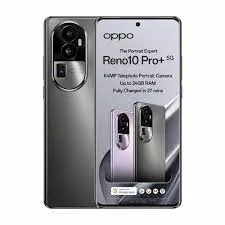
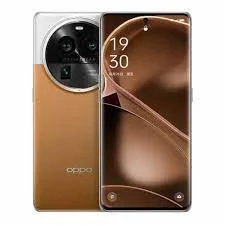
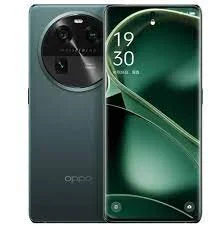
OPPO Reno10 Pro+ 5G
OPPO Reno10 Pro+ 5G Repair in Bangalore – Screen, Battery, Camera & Hardware Service
The OPPO Reno10 Pro+ 5G is a premium smartphone featuring a curved AMOLED display, fast charging, and an advanced camera system with telephoto capabilities. A cracked screen, battery performance issue, charging fault, camera malfunction, or unexpected shutdown can affect the device's everyday usability.
iDoCare provides OPPO Reno10 Pro+ 5G repair services in Bangalore, with diagnostic and repair options for display damage, battery issues, charging problems, camera faults, audio failures, software errors, and selected motherboard repairs. The recommended solution depends on the symptoms, the condition of the phone, and the results of a technical inspection.
OPPO Reno10 Pro+ 5G Repair Services
1. OPPO Reno10 Pro+ 5G Screen Replacement
A damaged display can affect touch response, image quality, and the overall smartphone experience. Common symptoms include cracked glass, black patches, coloured lines, flickering, touch failure, or a screen that remains blank.
The OPPO Reno10 Pro+ 5G features a curved AMOLED display, so replacement requires attention to component compatibility, screen fit, touch accuracy, and display performance. A technician should inspect the display assembly and internal connections before recommending replacement.
If the screen is damaged but the phone remains functional, back up important data before the condition worsens, if possible.
2. OPPO Reno10 Pro+ 5G Battery Replacement
If your OPPO Reno10 Pro+ 5G loses charge quickly, switches off unexpectedly, or struggles to maintain battery life, the battery or another power-related component may need attention.
Battery ageing is one possible cause, but background applications, software activity, weak network reception, and charging faults can also affect battery performance.
A proper assessment helps determine whether the battery needs replacement or whether the problem originates elsewhere. Replacement should use a compatible battery and be followed by appropriate charging and power checks.
If the phone becomes unusually hot or the battery appears swollen, stop using or charging it and arrange a professional inspection.
3. OPPO Reno10 Pro+ 5G SUPERVOOC Charging Repair
Charging problems can include slow charging, intermittent connections, failure to recognise the charger, or the phone not charging at all.
The OPPO Reno10 Pro+ 5G supports 100W SUPERVOOC wired charging. Charging performance can depend on compatible charging equipment, cable condition, battery health, port condition, and the internal charging system.
Possible causes include:
-
A damaged or contaminated USB-C charging port.
-
A faulty charging cable or adapter.
-
Battery deterioration.
-
A charging circuit or connector fault.
-
Moisture-related damage.
Testing compatible charging equipment and inspecting the port can help identify the cause. The charging system should be checked before replacing components unnecessarily.
4. OPPO Reno10 Pro+ 5G Camera Repair
The OPPO Reno10 Pro+ 5G has a multi-camera system that includes a telephoto camera for zoom photography. Camera faults can affect image sharpness, focus, zoom, video recording, or the ability to open the camera application.
Common symptoms include blurry photos, focusing difficulties, a black camera preview, camera app crashes, or malfunction after an accidental drop.
The problem may originate from a camera module, lens area, internal connection, or software. A diagnostic assessment helps establish whether the issue requires troubleshooting, component repair, or camera replacement.
5. OPPO Reno10 Pro+ 5G Motherboard and Power Repair
A phone that will not turn on, restarts repeatedly, or experiences several hardware problems may have a fault involving the battery, power circuitry, internal connections, or motherboard.
Motherboard diagnostics can help investigate faults that cannot be resolved through basic troubleshooting. Where technically feasible, component-level repair may be considered after identifying the affected circuit.
Repair feasibility depends on the severity of the damage, the condition of the board, and whether the faulty components can be repaired reliably. A clear diagnosis should come before recommending complex repairs.
6. OPPO Reno10 Pro+ 5G Speaker and Microphone Repair
Audio problems can affect calls, voice recordings, video playback, and media listening. Symptoms may include low speaker volume, distorted sound, microphone failure, or poor call clarity.
Possible causes include blocked speaker openings, damaged audio components, internal connection problems, or software settings. Testing the relevant audio functions helps identify the fault before recommending a repair or replacement.
7. OPPO Reno10 Pro+ 5G Software Troubleshooting
Software issues can cause application crashes, slow performance, connectivity problems, boot failures, or unexpected restarts.
Troubleshooting may include checking recent updates, reviewing application behaviour, assessing available storage, and investigating system stability. A factory reset may be appropriate in some cases, but it can erase personal data. Less disruptive troubleshooting options should be considered first where possible.
8. OPPO Reno10 Pro+ 5G Data Recovery Assistance
If your OPPO Reno10 Pro+ 5G fails to power on or suffers hardware damage, access to photos, videos, documents, and other stored files may be affected.
Data recovery depends on the underlying fault, storage accessibility, encryption, and the overall condition of the phone. Recovery cannot be guaranteed in every case.
If preserving your data is important, explain this before authorising a factory reset, software reinstallation, or repair procedure that could erase information. Back up accessible files before service whenever possible.
Common OPPO Reno10 Pro+ 5G Problems and Repair Options
| Problem | Possible cause | Recommended action |
|---|---|---|
| Cracked or unresponsive display | Curved AMOLED display damage | Inspect the display assembly and touch functionality |
| Battery drains quickly | Battery ageing or software activity | Assess battery performance and power usage |
| SUPERVOOC charging not working | Cable, adapter, port, battery, or charging circuit fault | Test compatible charging equipment and inspect the charging system |
| Camera or zoom problems | Camera module, connection, or software issue | Diagnose the camera system |
| Phone restarts unexpectedly | Software instability or hardware fault | Perform systematic diagnostics |
| Phone will not turn on | Battery, power circuit, or motherboard fault | Check power delivery and internal components |
| Speaker or microphone failure | Audio component or connection issue | Test affected audio functions |
| Liquid exposure | Moisture-related electrical damage | Avoid charging and arrange a professional inspection |
These symptoms can have multiple causes. Accurate diagnosis helps identify the appropriate repair and reduces the risk of unnecessary component replacement.
OPPO Reno10 Pro+ 5G Repair Cost in Bangalore
The cost of OPPO Reno10 Pro+ 5G repair in Bangalore depends on the type of fault, replacement component, parts availability, and complexity of the repair.
| Repair type | Factors affecting cost |
|---|---|
| Curved AMOLED screen replacement | Display assembly quality and extent of damage |
| Battery replacement | Battery compatibility, quality, and installation |
| SUPERVOOC charging repair | Port condition, compatible accessories, and charging circuit faults |
| Camera repair | Camera module or related component failure |
| Motherboard repair | Fault location and component-level repair complexity |
| Speaker or microphone repair | Affected component and severity of damage |
| Software troubleshooting | Nature of the issue and diagnostic requirements |
| Data recovery | Device condition, storage accessibility, and severity of the fault |
A reliable repair estimate should follow an inspection. Before authorising the work, confirm the proposed solution, replacement component quality, expected cost, and applicable warranty terms.
Why Choose Professional OPPO Reno10 Pro+ 5G Repair?
The OPPO Reno10 Pro+ 5G combines a curved display, fast-charging technology, and a multi-camera system. Incorrect disassembly or unsuitable replacement components can create additional problems.
When selecting a repair service, consider whether it provides:
-
Accurate fault diagnosis: Investigates the cause before recommending replacement.
-
Compatible replacement parts: Explains available components and their quality.
-
Charging-system checks: Verifies relevant charging functions after repair.
-
Camera and display testing: Checks the functions affected by the repair.
-
Transparent pricing: Discusses the estimated cost before work begins.
-
Data-conscious service: Explains whether a procedure could affect personal files.
-
Clear warranty terms: Describes applicable coverage and exclusions.
Water resistance should not be assumed to remain at its original factory level after a device has been opened or repaired.
What to Do Before Repairing Your OPPO Reno10 Pro+ 5G
Follow these practical precautions before sending your phone for repair:
-
Back up important data if the device is working and can be accessed safely.
-
Describe the symptoms clearly, including any recent drop, liquid exposure, charging issue, or software change.
-
Avoid charging a wet phone. Stop using it if safe and arrange a professional assessment.
-
Take abnormal heat seriously. Stop using the device if it overheats or the battery appears swollen.
-
Discuss data preservation before approving a reset or software procedure.
-
Check the completed repair. Test the display, touch response, camera, charging, audio, and connectivity as relevant.
OPPO Reno10 Pro+ 5G Repair in Bangalore by iDoCare
iDoCare offers OPPO Reno10 Pro+ 5G repair assessment options in Bangalore for display damage, battery problems, SUPERVOOC charging faults, camera issues, audio failures, software troubleshooting, and selected motherboard repairs.
The process begins with understanding the symptoms and inspecting the device. Based on the findings, the suitable repair can be discussed alongside the expected cost, component options, and any relevant limitations.
Whether your OPPO Reno10 Pro+ 5G has a damaged curved AMOLED screen, battery problems, charging difficulties, or a camera fault, an accurate diagnosis is the first step towards choosing the right repair.
iDoCare – Phone and Laptop Service Center takes a diagnostic-led approach to smartphone repair, helping customers understand their available options before proceeding.
OPPO Reno10 Pro 5G
OPPO Reno10 Pro 5G Repair in Bangalore – Screen, Battery & Hardware Service
The OPPO Reno10 Pro 5G is designed for smooth everyday performance, vivid AMOLED visuals, fast charging and versatile photography. If your phone has a cracked display, reduced battery life, charging problems, camera issues or unexpected shutdowns, professional diagnosis can help identify the cause and determine the appropriate repair.
iDoCare provides OPPO Reno10 Pro 5G repair services in Bangalore, covering display, battery, charging, camera, audio, software and hardware-related problems. The repair approach depends on the symptoms, the condition of the device and the parts required.
OPPO Reno10 Pro 5G Repair Services
The OPPO Reno10 Pro 5G features a curved AMOLED display, a 5G-capable platform and SUPERVOOC fast-charging technology. These features make model-specific diagnosis important when the phone develops a fault.
| Common issue | Possible repair or service |
|---|---|
| Cracked screen, lines or black display | AMOLED display inspection and replacement, where required |
| Battery draining quickly | Battery health assessment and battery replacement, if necessary |
| Phone not charging | Charging port, cable, adapter and charging-circuit diagnosis |
| SUPERVOOC fast charging not working | Charging accessories, port and charging-system inspection |
| Blurry photos or camera failure | Camera module and camera-system diagnosis |
| Low speaker volume or microphone failure | Speaker, microphone and audio-circuit inspection |
| Phone overheating or restarting | Battery, software, power-management and hardware checks |
| Network or connectivity problems | SIM, settings, antenna and related hardware diagnosis |
| Liquid exposure | Internal inspection, corrosion assessment and appropriate cleaning |
| Phone not switching on | Battery, power supply and motherboard-level diagnosis |
The exact repair depends on the fault identified during inspection. Not every symptom requires a component replacement.
OPPO Reno10 Pro 5G Display Replacement
The Reno10 Pro 5G uses a curved AMOLED display, so screen damage can affect both appearance and touch functionality. A phone may show cracks, green or white lines, flickering, black patches or an unresponsive touch panel after an impact.
At iDoCare, the display is assessed to determine whether replacement is required. If the screen is damaged, the appropriate compatible replacement is selected based on availability and the device's condition.
Display service may be necessary when:
-
The screen is cracked or visibly damaged.
-
Green lines, black spots or unusual colours appear.
-
Touch response is inconsistent or completely unavailable.
-
The display flickers or remains black while the phone appears powered on.
Before approving the repair, ask about the replacement part type, expected cost and applicable service warranty. Curved-screen repairs require careful handling and fitting.
OPPO Reno10 Pro 5G Battery Replacement
A battery that drains rapidly, loses charge unexpectedly or causes the phone to shut down may need professional assessment. Battery ageing is one possible cause, but background applications, software issues, charging accessories and internal faults can produce similar symptoms.
A battery inspection can help determine whether replacement is appropriate. If the battery is swollen, unusually hot or physically damaged, stop using or charging the phone and arrange a professional inspection. Do not press, puncture or attempt to remove a swollen battery yourself.
OPPO Reno10 Pro 5G Charging Repair
The OPPO Reno10 Pro 5G supports SUPERVOOC fast charging. If charging is slow, intermittent or unavailable, the cause may be the adapter, cable, charging port, battery or internal charging circuit.
A proper diagnosis should check:
-
Whether the charging cable and adapter are suitable and working correctly.
-
Whether the charging port contains debris or has physical damage.
-
Whether the phone recognises the charger consistently.
-
Whether the battery or charging circuitry requires further testing.
Avoid inserting metal objects into the charging port or forcing the connector into place. If the device has been exposed to liquid, do not connect a charger until it has been assessed.
OPPO Reno10 Pro 5G Camera and Audio Repair
Camera problems can include blurry images, focusing failure, a camera app that crashes or a damaged lens cover. Audio issues may involve a weak loudspeaker, unclear microphone output or sound that cuts out during calls.
Professional inspection helps distinguish a faulty component from a software or connection problem. The repair may involve cleaning, software troubleshooting, component replacement or additional hardware diagnosis, depending on the findings.
OPPO Reno10 Pro 5G Motherboard and Software Troubleshooting
A phone that does not power on, repeatedly restarts, loses network connectivity or becomes unstable may have a software-related or hardware-related fault. Possible causes include damaged components, power-management issues, liquid exposure or corrupted software.
iDoCare can assess the symptoms and determine the next diagnostic steps, including motherboard-level inspection when appropriate. A motherboard repair should only be recommended after testing, since the same symptoms can arise from less complex faults.
If your phone contains important photos, documents or business data, mention this before service begins. Data recovery depends on the device's condition and the nature of the fault. Back up your information whenever possible, and avoid factory resetting the phone before discussing data-preservation options.
OPPO Reno10 Pro 5G Repair Cost in Bangalore
The cost of repairing an OPPO Reno10 Pro 5G depends on the damaged component, the quality and availability of replacement parts, the extent of internal damage and the labour involved.
| Repair category | Main factors affecting cost |
|---|---|
| Display replacement | Display type, part availability and installation requirements |
| Battery replacement | Compatible battery availability and battery condition |
| Charging repair | Port damage, charging circuit and component-level work |
| Camera repair | Affected camera module and related components |
| Speaker or microphone repair | Component fault and internal accessibility |
| Motherboard repair | Fault location, component damage and diagnostic complexity |
| Liquid-damage service | Corrosion, affected circuits and extent of internal damage |
A reliable estimate should follow an inspection rather than relying only on the visible symptom. Confirm the proposed repair, part details, total cost and warranty terms before authorising the work.
Why Choose iDoCare for OPPO Reno10 Pro 5G Repair?
Choosing a repair provider that understands the device's display, charging system and internal hardware can help avoid unnecessary part replacement. iDoCare focuses on diagnosis-led mobile repair for OPPO devices and other smartphone models.
A professional repair process should include:
-
Initial assessment of the reported problem.
-
Appropriate diagnostic checks before recommending replacement.
-
Clear explanation of the proposed repair and estimated cost.
-
Careful handling of the display, battery and internal components.
-
Functional testing of the repaired feature wherever possible.
-
Clear communication about parts, limitations and applicable warranty terms.
Repair time varies according to the fault, part availability and the complexity of the work. A straightforward component repair may take less time than motherboard-level diagnosis or liquid-damage service.
Before Bringing Your OPPO Reno10 Pro 5G for Repair
To help the technician assess the phone efficiently:
-
Describe when the issue started and whether the device was dropped, exposed to liquid or recently updated.
-
Back up important data if the phone is working and it is safe to do so.
-
Bring the charging cable or adapter if the issue concerns charging.
-
Keep your device passcode private unless access is necessary and you choose to provide it for testing.
-
If the phone is swollen, severely overheating or liquid-damaged, avoid charging it and seek professional guidance.
OPPO Reno10 Pro 5G Service in Bangalore
For OPPO Reno10 Pro 5G repair in Bangalore, iDoCare offers diagnosis and repair support for display damage, battery problems, charging faults, camera issues, audio failures and selected hardware-related faults. The recommended solution depends on the phone's actual condition, and replacement should be carried out only when testing indicates it is necessary.
Whether the issue involves a cracked AMOLED screen, unreliable fast charging or a phone that will not switch on, a structured diagnostic process helps identify the likely cause and guide the repair decision.
OPPO Reno10 5G
OPPO Reno10 5G Repair in Bangalore – Screen, Battery & Hardware Service
The OPPO Reno10 5G combines a curved AMOLED display, 5G connectivity, a versatile camera system and SUPERVOOC fast charging. If your phone develops a cracked screen, battery-drain issue, charging fault, camera problem or unexpected shutdown, identifying the actual cause is the first step toward a suitable repair.
iDoCare provides OPPO Reno10 5G repair services in Bangalore, covering display replacement, battery issues, charging problems, camera faults, speaker and microphone issues, software troubleshooting and selected hardware repairs. The recommended service depends on the device's condition, diagnostic findings and replacement-part availability.
OPPO Reno10 5G Repair Services
Different symptoms can have similar causes. A professional inspection helps determine whether the issue requires a component replacement, software troubleshooting or a more detailed hardware assessment.
| Phone problem | Recommended service |
|---|---|
| Cracked screen or damaged display | AMOLED display inspection and replacement, if required |
| Green lines, flickering or black screen | Display and internal connection diagnosis |
| Touchscreen not responding | Touch functionality and display assessment |
| Battery draining quickly | Battery health and power-consumption checks |
| Phone not charging | Charging port, cable, adapter and charging-circuit inspection |
| SUPERVOOC fast charging not working | Charger compatibility and charging-system diagnosis |
| Blurry photos or camera failure | Camera module and camera-system assessment |
| Speaker or microphone problems | Audio component inspection and testing |
| Phone overheating or restarting | Battery, software and internal hardware diagnosis |
| Network or SIM connectivity problems | Network settings, SIM and related hardware checks |
| Liquid damage | Internal inspection and corrosion assessment |
| Phone not turning on | Battery, power supply and motherboard diagnosis |
Not every issue requires a new part. Testing the phone before recommending a repair can help prevent unnecessary replacement costs.
OPPO Reno10 5G Display Replacement
The OPPO Reno10 5G features a curved AMOLED display that provides rich colours and a smooth visual experience. Drops, pressure and accidental impacts can damage the screen or affect touch responsiveness.
Common display problems include:
-
Cracked glass or visible impact damage.
-
Green or white lines across the screen.
-
Black patches, flickering or unusual colours.
-
Touchscreen areas that stop responding.
-
A black display even when the phone appears to power on.
iDoCare can assess the display and determine whether replacement is necessary. The appropriate replacement depends on part availability, compatibility and the condition of the phone.
Before approving a display repair, confirm the replacement-part type, estimated cost and applicable warranty terms. Curved AMOLED screens require careful fitting and handling.
OPPO Reno10 5G Battery Replacement
If your OPPO Reno10 5G loses charge quickly, shuts down unexpectedly or struggles to maintain battery life, the battery may have deteriorated. However, background applications, software problems, charging accessories and internal power faults can also contribute to these symptoms.
A battery assessment can help establish whether replacement is appropriate. A technician may also check charging behaviour and power consumption to identify other possible causes.
If the battery appears swollen or the phone becomes unusually hot, stop using and charging the device and arrange a professional inspection. Do not press, puncture or attempt to remove a swollen battery yourself.
OPPO Reno10 5G Charging Port and SUPERVOOC Repair
The OPPO Reno10 5G supports SUPERVOOC fast charging. If the phone charges slowly, disconnects repeatedly or does not recognise a charger, the problem may involve the cable, adapter, charging port, battery or internal charging circuit.
A suitable diagnostic process may include:
-
Checking the charging cable and adapter for damage or incompatibility.
-
Inspecting the charging port for debris, looseness or physical damage.
-
Testing whether the phone recognises a compatible charger consistently.
-
Assessing the battery and charging circuitry if the problem persists.
Avoid forcing the connector into the port or inserting metal objects to clean it. If liquid has entered the phone, do not connect a charger before the device has been inspected.
OPPO Reno10 5G Camera Repair
Camera problems can affect photo quality, focusing and everyday communication. The cause may be a damaged camera module, lens damage, a loose internal connection or a software issue.
iDoCare can assess symptoms such as blurry images, camera-app crashes, focusing failure and a camera that does not open. The repair recommendation depends on the affected component and the results of testing.
Keeping the camera lens clean and protecting the phone from impacts can help reduce avoidable damage, but internal faults require proper diagnosis.
OPPO Reno10 5G Speaker and Microphone Repair
Low speaker volume, distorted audio, unclear voice recordings or microphone failure can make calls and media playback difficult. These problems may result from blocked openings, software settings, component damage or an internal connection fault.
A professional inspection can help distinguish a simple issue from a hardware failure. Depending on the findings, service may involve cleaning, software troubleshooting or replacement of the affected component.
OPPO Reno10 5G Motherboard and Software Repair
A phone that repeatedly restarts, freezes, loses network connectivity or refuses to power on may have a software or hardware problem. Possible causes include operating-system errors, battery faults, power-management issues, liquid damage or motherboard-level component failure.
iDoCare can assess these symptoms and determine whether software troubleshooting, component repair or further motherboard diagnosis is appropriate. Board-level work should be recommended only after the fault has been investigated.
If your device contains important photos, documents or business files, explain your data-preservation priorities before service begins. Data recovery depends on the fault and the phone's condition. Back up your information whenever possible, and avoid a factory reset before discussing available options with a technician.
OPPO Reno10 5G Repair Cost in Bangalore
The cost of OPPO Reno10 5G repair in Bangalore varies according to the damaged component, replacement-part availability, the extent of internal damage and the labour required.
| Repair type | What influences the cost? |
|---|---|
| Display replacement | Display assembly type, availability and installation |
| Battery replacement | Compatible battery availability and battery condition |
| Charging repair | Port damage, charging circuitry and component-level work |
| Camera repair | Affected camera module and related components |
| Speaker or microphone repair | Fault location and replacement requirements |
| Software troubleshooting | Nature of the software issue and diagnostic work |
| Motherboard repair | Component damage, fault complexity and repair feasibility |
| Liquid-damage service | Corrosion severity and the number of affected components |
A reliable estimate should be provided after the device is assessed. Confirm the proposed repair, total cost, replacement-part details and applicable warranty before authorising the work.
Why Choose iDoCare for OPPO Reno10 5G Repair?
Choosing an experienced repair provider can help ensure that the phone is examined before parts are replaced. iDoCare focuses on diagnosis-led mobile repair, with attention to the device's display, charging system, battery and internal hardware.
A professional service process should include:
-
Assessment of the symptoms and device condition.
-
Diagnostic checks before recommending component replacement.
-
An explanation of the repair options and estimated cost.
-
Careful handling of the curved display, battery and internal components.
-
Functional testing of the repaired features where possible.
-
Clear information about replacement parts and applicable service warranty.
Repair duration depends on the fault, availability of parts and the complexity of the work. Straightforward repairs may take less time than liquid-damage assessment or motherboard-level diagnosis.
Before Bringing Your OPPO Reno10 5G for Repair
A few simple steps can help prepare your phone for inspection:
-
Back up important information if the device is operational and safe to use.
-
Note when the problem began and whether the phone was dropped, exposed to liquid or recently updated.
-
Bring the charging cable and adapter if charging is the main concern.
-
Keep your passcode private unless access is necessary and you choose to provide it for testing.
-
Avoid charging a device that is swollen, severely overheating or suspected of liquid damage.
OPPO Reno10 5G Service in Bangalore
For OPPO Reno10 5G repair in Bangalore, iDoCare offers assessment and repair support for screen damage, battery problems, SUPERVOOC charging faults, camera issues, audio problems and selected hardware failures.
Whether the phone has a cracked curved display, inconsistent charging or a power-related issue, a proper diagnosis helps identify the likely cause and determine the most suitable next step. Repair recommendations should be based on the actual fault, compatible parts and the condition of the device.
OPPO Find N3 Flip
OPPO Find N3 Flip Repair in Bangalore – Foldable Screen, Hinge & Battery Service
The OPPO Find N3 Flip is a premium foldable smartphone featuring a flexible AMOLED main display, an external cover screen, a folding hinge mechanism, fast charging and a versatile camera system. Because of its foldable design, screen damage, hinge problems and display interruptions require careful, model-specific diagnosis.
iDoCare provides OPPO Find N3 Flip repair services in Bangalore, with assessment and repair support for foldable display issues, cover-screen damage, battery problems, charging faults, camera issues, audio problems and selected hardware faults. The appropriate repair depends on the device's condition, the fault identified during inspection and compatible replacement-part availability.
OPPO Find N3 Flip Repair Services
Foldable smartphones contain specialised display and hinge components. A fault that appears to involve the screen may also be associated with a connection, sensor or internal hardware issue. Diagnosis helps identify the actual cause before a repair is recommended.
| Common issue | Recommended repair or assessment |
|---|---|
| Main foldable display damaged | Flexible AMOLED display inspection and replacement assessment |
| Cover screen cracked or unresponsive | External display diagnosis and replacement, if required |
| Black screen or flickering | Display, connection and hardware testing |
| Screen crease showing unusual changes | Inspection of the folding display and hinge area |
| Phone does not fold smoothly | Hinge mechanism and frame inspection |
| Battery draining quickly | Battery health and power-consumption assessment |
| Charging slowly or not charging | Charging port, accessories and charging-circuit diagnosis |
| Camera not focusing | Camera module and software assessment |
| Speaker or microphone failure | Audio component testing |
| Phone overheating or restarting | Battery, software and hardware diagnosis |
| Liquid exposure | Internal inspection and corrosion assessment |
| Phone not turning on | Battery, power supply and motherboard diagnosis |
Not every problem requires component replacement. A proper assessment can help distinguish display damage from software or internal hardware faults.
OPPO Find N3 Flip Foldable Display Repair
The OPPO Find N3 Flip has a flexible main display designed to fold and unfold, along with a separate external cover screen. These components have different functions and may require different repair approaches.
Main-display problems may include:
-
Black patches, lines or flickering on the folding screen.
-
Touch areas that stop responding.
-
Display interruptions when opening or closing the phone.
-
Visible damage after a drop or pressure.
-
Unusual changes around the fold area.
The cover screen may also develop cracks, touch-response problems or display failure independently of the main screen.
iDoCare can assess the affected display and determine whether repair or replacement is appropriate. Foldable-screen work requires specialised handling because the flexible panel, hinge assembly and internal connections must be treated carefully. The availability and type of compatible replacement parts should be confirmed before the repair is approved.
Avoid pressing firmly on the fold area, removing protective layers or attempting to repair the flexible display yourself.
OPPO Find N3 Flip Hinge Repair
The hinge is an essential part of the Find N3 Flip's folding mechanism. If the phone becomes difficult to open or close, makes unusual sounds, feels loose or does not stay in its expected position, the hinge and surrounding structure should be inspected.
Possible causes include impact damage, foreign particles, frame distortion or wear affecting the folding mechanism.
A professional hinge assessment may include:
-
Checking the opening and closing movement.
-
Inspecting the hinge area and outer frame for damage.
-
Assessing whether the display is affected by the folding mechanism.
-
Checking for related display or internal connection problems.
Do not force the phone open or closed if the movement becomes stiff. Applying excessive pressure can worsen hinge or display damage. The repair recommendation depends on the extent of the fault and the availability of suitable components.
OPPO Find N3 Flip Battery Replacement
Battery problems can reduce the convenience of a foldable phone, particularly when the device loses charge rapidly, shuts down unexpectedly or shows inconsistent battery performance.
Potential causes include battery ageing, demanding applications, software issues, charging problems or internal hardware faults. A battery assessment helps determine whether replacement is necessary or another issue needs attention.
If the device becomes unusually hot or the battery appears swollen, stop using and charging it and arrange a professional inspection. Do not press, puncture or attempt to remove the battery yourself.
OPPO Find N3 Flip Charging Repair
The OPPO Find N3 Flip supports SUPERVOOC fast charging. If charging becomes intermittent, slow or unavailable, the problem may involve the adapter, cable, charging port, battery or internal charging circuitry.
A diagnostic process may include:
-
Checking the charging cable and adapter for damage or compatibility.
-
Inspecting the charging port for debris, looseness or physical damage.
-
Testing charging behaviour with suitable equipment.
-
Assessing the battery and charging circuit if the issue continues.
Avoid inserting metal objects into the port or forcing the charging connector into place. If the phone has been exposed to liquid, do not connect a charger until it has been assessed.
OPPO Find N3 Flip Camera Repair
The Find N3 Flip's camera system supports everyday photography, portraits and video recording. Camera faults can affect image clarity, focusing, app operation or video performance.
Common symptoms include blurry photos, focus failure, a camera app that crashes or a camera that does not open. These issues may be related to a damaged camera module, lens damage, a connection problem or software behaviour.
iDoCare can assess the camera system and recommend appropriate troubleshooting or component repair based on the findings.
OPPO Find N3 Flip Speaker, Microphone and Connectivity Repair
Audio or connectivity problems can interfere with calls, notifications and daily use. Symptoms may include low speaker volume, unclear microphone output, intermittent sound, SIM recognition issues or unstable network connectivity.
The cause may involve settings, software, a damaged component or an internal connection. Testing helps determine whether the issue can be addressed through troubleshooting or requires hardware repair.
OPPO Find N3 Flip Software and Motherboard Repair
If your Find N3 Flip freezes, restarts repeatedly, fails to power on or experiences persistent system problems, the cause may be software-related or hardware-related. Possible causes include operating-system errors, battery faults, power-management problems, liquid damage or motherboard-level component failure.
iDoCare can assess these symptoms and determine whether software troubleshooting, component-level repair or further motherboard diagnosis is appropriate. Advanced board-level work should only be recommended after the fault has been investigated.
If the phone contains important photographs, documents or business data, mention your data-preservation priorities before service begins. Data recovery depends on the nature of the fault and the device's condition. Back up your information whenever possible, and avoid factory resetting the phone before discussing available options.
OPPO Find N3 Flip Repair Cost in Bangalore
The cost of OPPO Find N3 Flip repair in Bangalore depends on the affected component, compatible part availability, the extent of damage and the complexity of the repair.
| Repair type | Factors affecting cost |
|---|---|
| Main foldable display | Flexible panel availability, assembly type and installation complexity |
| Cover-screen replacement | Screen assembly and compatible part availability |
| Hinge repair | Mechanical damage, frame condition and required components |
| Battery replacement | Battery condition and compatible replacement availability |
| Charging repair | Port damage, charging circuitry and component-level work |
| Camera repair | Affected camera module and related components |
| Audio or connectivity repair | Fault location and replacement requirements |
| Motherboard repair | Component damage, diagnostic complexity and repair feasibility |
| Liquid-damage service | Corrosion severity and the number of affected components |
Foldable phone repairs can differ significantly from conventional smartphone repairs because of their specialised components. Request a diagnosis-based estimate and confirm the proposed repair, part details and applicable warranty terms before authorising the work.
Why Choose iDoCare for OPPO Find N3 Flip Repair?
Foldable smartphones need careful assessment because their displays, hinges and internal connections work together. iDoCare focuses on diagnosis-led mobile repair, helping identify the fault before recommending a repair or replacement.
A professional service process should include:
-
Initial assessment of the reported problem and device condition.
-
Careful inspection of the main display, cover screen and hinge where relevant.
-
Diagnostic testing before recommending component replacement.
-
Clear explanation of repair options and estimated costs.
-
Functional testing of the repaired features where possible.
-
Information about compatible replacement parts and applicable warranty terms.
Repair time depends on the fault, the availability of specialised parts and the complexity of the work. Foldable display and hinge repairs may require more assessment than straightforward component repairs.
Before Bringing Your OPPO Find N3 Flip for Repair
A few precautions can help protect your device before inspection:
-
Back up important information if the phone is operational and safe to use.
-
Note whether the issue began after a drop, liquid exposure or software update.
-
Avoid repeatedly folding and unfolding the phone if the hinge or display is damaged.
-
Do not press on the flexible display or attempt to remove its protective layer.
-
Keep your passcode private unless access is necessary and you choose to provide it for testing.
-
Stop charging a device that is swollen, severely overheating or suspected of liquid damage.
OPPO Find N3 Flip Service in Bangalore
For OPPO Find N3 Flip repair in Bangalore, iDoCare provides assessment and repair support for foldable display damage, cover-screen faults, hinge issues, battery problems, SUPERVOOC charging concerns, camera faults and selected hardware failures.
Whether the problem affects the main folding screen, the external display or the hinge mechanism, the correct approach begins with a careful inspection. A diagnosis-based repair plan helps determine the next steps while taking the phone's specialised foldable design into account.
OPPO Find X6 Pro
OPPO Find X6 Pro Repair in Bangalore – Display, Battery & Hardware Service
The OPPO Find X6 Pro is a premium smartphone featuring a QHD+ AMOLED display, a flagship camera system co-developed with Hasselblad, and fast charging technology. If your device develops a cracked screen, battery-drain issue, charging fault, camera problem or unexpected shutdown, accurate diagnosis can help determine the most appropriate repair.
iDoCare provides OPPO Find X6 Pro repair services in Bangalore, with assessment and repair support for display damage, battery issues, charging problems, camera faults, audio failures, software-related problems and selected motherboard repairs. The recommended solution depends on the condition of the device, diagnostic findings and compatible replacement-part availability.
OPPO Find X6 Pro Repair Services
Premium smartphones contain interconnected display, camera, charging and power-management components. Similar symptoms can have different causes, so a diagnostic assessment is important before replacing any part.
| Common problem | Recommended service |
|---|---|
| Cracked screen or damaged AMOLED panel | Display inspection and replacement, if required |
| Green lines, flickering or black screen | Display and internal connection diagnosis |
| Touchscreen not responding | Touch and display functionality assessment |
| Battery draining quickly | Battery health and power-consumption checks |
| Phone not charging | Charging port, cable, adapter and charging-circuit inspection |
| Fast charging not working correctly | Charging accessories, battery and charging-system diagnosis |
| Blurry photos or camera failure | Camera module and camera-system assessment |
| Speaker or microphone problems | Audio component inspection and testing |
| Phone overheating or restarting | Battery, software and hardware diagnosis |
| SIM or network connectivity problems | Network settings, SIM and related hardware checks |
| Liquid damage | Internal inspection and corrosion assessment |
| Phone not powering on | Battery, power supply and motherboard diagnosis |
Not every problem requires a component replacement. Testing helps distinguish a faulty component from a software issue, accessory problem or internal connection fault.
OPPO Find X6 Pro Display Replacement
The OPPO Find X6 Pro features a high-resolution AMOLED display designed for detailed images, rich colours and smooth scrolling. Accidental drops, pressure or impact can damage the screen and affect everyday usability.
Common display symptoms include:
-
Cracked glass or visible impact damage.
-
Green or white lines across the screen.
-
Black patches, flickering or colour distortion.
-
Touchscreen areas that no longer respond.
-
A black display even though the phone appears to be powered on.
iDoCare can inspect the display and determine whether replacement is necessary. The replacement option should be selected according to device compatibility, part availability and the condition of the phone.
Before approving a display repair, confirm the replacement-part type, estimated cost and applicable warranty terms. A premium AMOLED panel requires careful installation and functional testing after repair.
OPPO Find X6 Pro Battery Replacement
If your Find X6 Pro loses charge unusually quickly, shuts down unexpectedly or struggles to maintain battery life, the battery may have deteriorated. However, background applications, software problems, charging accessories and internal power faults can produce similar symptoms.
A battery assessment can help determine whether replacement is appropriate. The technician may also check charging behaviour and power consumption to identify other possible causes.
If the battery appears swollen or the phone becomes unusually hot, stop using and charging it and arrange a professional inspection. Do not press, puncture or attempt to remove a swollen battery yourself.
OPPO Find X6 Pro Charging Repair
The OPPO Find X6 Pro supports 100W SUPERVOOC wired charging and 50W AIRVOOC wireless charging. If charging is slow, intermittent or unavailable, the cause may involve the cable, adapter, charging port, battery or internal charging circuitry.
A suitable diagnostic process may include:
-
Checking the charging cable and adapter for damage or compatibility.
-
Inspecting the USB-C port for debris, looseness or physical damage.
-
Checking whether the phone recognises a suitable wired charger consistently.
-
Assessing the battery and charging circuit if the problem persists.
-
Testing wireless charging compatibility and behaviour if wireless charging is affected.
Use suitable charging accessories and avoid forcing the connector into the port. If the phone has been exposed to liquid, do not connect a charger until it has been inspected.
OPPO Find X6 Pro Camera Repair
The Find X6 Pro is known for its flagship camera system, including a 1-inch-type main camera sensor and telephoto photography capabilities. Camera faults can affect image clarity, focusing, zoom performance or camera-app operation.
Possible symptoms include:
-
Blurry photographs or focusing difficulties.
-
Camera app crashes or a camera that fails to open.
-
Problems with zoom or a specific camera mode.
-
Visible lens damage or signs of impact.
-
Camera performance that becomes inconsistent after a drop.
iDoCare can assess the affected camera and determine whether the issue is software-related, connection-related or associated with a damaged module. The repair recommendation depends on diagnostic findings and the availability of compatible parts.
OPPO Find X6 Pro Speaker, Microphone and Connectivity Repair
Audio and connectivity faults can affect calls, notifications, streaming and everyday communication. Symptoms may include low speaker volume, distorted sound, unclear microphone output, SIM recognition issues or unstable network connectivity.
Possible causes include software settings, blocked openings, a damaged component or an internal connection fault. A professional inspection can help identify the source before recommending cleaning, troubleshooting or component replacement.
OPPO Find X6 Pro Software and Motherboard Repair
If your OPPO Find X6 Pro freezes, restarts repeatedly, loses network connectivity or refuses to power on, the cause may be software-related or hardware-related. Possible causes include operating-system errors, battery faults, power-management problems, liquid damage or motherboard-level component failure.
iDoCare can assess these symptoms and determine whether software troubleshooting, component-level repair or further motherboard diagnosis is appropriate. Advanced board-level work should be recommended only after the fault has been investigated.
If your phone contains important photographs, documents or business files, mention your data-preservation priorities before service begins. Data recovery depends on the nature of the fault and the condition of the device. Back up your information whenever possible, and avoid factory resetting the phone before discussing available options.
OPPO Find X6 Pro Repair Cost in Bangalore
The cost of OPPO Find X6 Pro repair in Bangalore depends on the affected component, replacement-part availability, the extent of damage and the complexity of the repair.
| Repair type | Factors affecting cost |
|---|---|
| AMOLED display replacement | Panel type, part availability and installation requirements |
| Battery replacement | Compatible battery availability and battery condition |
| Wired charging repair | Port damage, charging circuitry and component-level work |
| Wireless charging diagnosis | Charging components, alignment and internal hardware condition |
| Camera repair | Affected camera module and related components |
| Speaker or microphone repair | Fault location and replacement requirements |
| Software troubleshooting | Nature of the issue and diagnostic work |
| Motherboard repair | Component damage, diagnostic complexity and repair feasibility |
| Liquid-damage service | Corrosion severity and the number of affected components |
A reliable estimate should follow an inspection rather than relying only on the visible symptom. Confirm the proposed repair, total cost, replacement-part details and applicable warranty before authorising the work.
Why Choose iDoCare for OPPO Find X6 Pro Repair?
Premium phones require careful handling because display, camera, charging and power-management systems can be affected by the same incident. iDoCare focuses on diagnosis-led mobile repair to help identify the fault before recommending a repair or replacement.
A professional repair process should include:
-
Initial assessment of the reported problem and device condition.
-
Diagnostic checks before recommending component replacement.
-
An explanation of the repair options and estimated cost.
-
Careful handling of the display, battery, camera and internal components.
-
Functional testing of the repaired features where possible.
-
Clear information about compatible replacement parts and applicable warranty terms.
Repair duration depends on the fault, the availability of specialised parts and the complexity of the work. Straightforward component repairs may take less time than liquid-damage assessment or motherboard-level diagnosis.
Before Bringing Your OPPO Find X6 Pro for Repair
A few simple precautions can help prepare the phone for inspection:
-
Back up important information if the device is operational and safe to use.
-
Note whether the problem began after a drop, liquid exposure or software update.
-
Bring the charging cable and adapter if charging is the main concern.
-
Keep your passcode private unless access is necessary and you choose to provide it for testing.
-
Avoid charging a phone that is swollen, severely overheating or suspected of liquid damage.
OPPO Find X6 Pro Service in Bangalore
For OPPO Find X6 Pro repair in Bangalore, iDoCare provides assessment and repair support for AMOLED display damage, battery problems, wired and wireless charging faults, camera issues, audio problems and selected hardware failures.
Whether the issue affects the premium display, the flagship camera system or the charging circuit, a careful diagnosis helps identify the likely cause and guide the next steps. The recommended repair should be based on the actual fault, compatible part availability and the condition of the device.
Oppo Find X6
OPPO Find X6 Repair in Bangalore – Display, Battery, Camera & Hardware Service
The OPPO Find X6 is a premium smartphone featuring an AMOLED display, a flagship multi-camera system and fast-charging technology. If your phone develops a cracked screen, battery-drain issue, charging fault, camera problem or unexpected shutdown, professional diagnosis can help identify the cause and determine the right repair.
iDoCare provides OPPO Find X6 repair services in Bangalore, with assessment and repair support for display damage, battery problems, charging issues, camera faults, audio failures, software troubleshooting and selected hardware repairs. The recommended solution depends on the phone's condition, diagnostic results and the availability of compatible replacement parts.
OPPO Find X6 Repair Services
Smartphone symptoms can have several possible causes. For example, a phone that will not switch on may have a battery issue, a charging fault or a more complex internal hardware problem. Testing helps determine the appropriate repair before components are replaced.
| Common issue | Recommended repair or assessment |
|---|---|
| Cracked screen or damaged display | AMOLED display inspection and replacement, if required |
| Black screen, flickering or display lines | Screen and internal connection diagnosis |
| Touchscreen not responding | Touch functionality and display assessment |
| Battery draining quickly | Battery health and power-consumption checks |
| Phone not charging | USB-C port, accessories and charging-circuit inspection |
| Fast charging not working | Charger compatibility, battery and charging-system diagnosis |
| Blurry photos or camera failure | Camera module and camera-system assessment |
| Speaker or microphone problems | Audio component inspection and testing |
| Phone overheating or restarting | Battery, software and hardware diagnosis |
| Network or SIM connectivity issues | Network settings, SIM and related hardware checks |
| Liquid exposure | Internal inspection and corrosion assessment |
| Phone not powering on | Battery, power supply and motherboard diagnosis |
Not every issue requires replacement of a component. A proper diagnosis can help distinguish a hardware fault from a software issue, accessory problem or internal connection failure.
OPPO Find X6 Display Replacement
The OPPO Find X6 features a high-resolution AMOLED display designed for detailed images, rich colours and smooth viewing. Accidental drops, pressure and impact can damage the display or affect touch responsiveness.
Common display problems include:
-
Cracked glass or visible impact damage.
-
Green or white lines across the screen.
-
Black patches, flickering or unusual colours.
-
Touchscreen areas that no longer respond.
-
A black display while the phone appears to remain powered on.
iDoCare can inspect the screen and determine whether a display replacement is necessary. The appropriate replacement depends on device compatibility, part availability and the extent of damage.
Before approving a display repair, confirm the replacement-part type, estimated cost and applicable warranty terms. After installation, the display and touch functionality should be tested wherever possible.
OPPO Find X6 Battery Replacement
If your OPPO Find X6 loses charge quickly, shuts down unexpectedly or shows inconsistent battery performance, the battery may have deteriorated. However, background applications, software problems, charging accessories and internal power faults can also contribute to these symptoms.
A battery assessment helps determine whether replacement is appropriate. Checking charging behaviour and power consumption can also help identify other possible causes.
If the battery appears swollen or the phone becomes unusually hot, stop using and charging it and arrange a professional inspection. Do not press, puncture or attempt to remove a swollen battery yourself.
OPPO Find X6 Charging Port and Fast-Charging Repair
The OPPO Find X6 supports 80W SUPERVOOC wired charging. If charging is slow, intermittent or unavailable, the cause may involve the charging cable, adapter, USB-C port, battery or internal charging circuitry.
A diagnostic process may include:
-
Checking the charging cable and adapter for damage or compatibility.
-
Inspecting the USB-C port for debris, looseness or physical damage.
-
Testing whether the phone recognises a suitable charger consistently.
-
Assessing the battery and charging circuit if the problem continues.
Avoid forcing the connector into the port or inserting metal objects to clean it. If the phone has been exposed to liquid, do not connect a charger until it has been inspected.
OPPO Find X6 Camera Repair
The OPPO Find X6 features a multi-camera system designed for photography, portraits and everyday video recording. Camera problems can affect image clarity, focusing, zoom performance or camera-app operation.
Common symptoms include:
-
Blurry photographs or difficulty focusing.
-
Camera app crashes or failure to open.
-
A camera that stops working after an impact.
-
Visible lens damage or unusual camera behaviour.
-
Inconsistent performance when switching between camera modes.
iDoCare can assess the camera system and determine whether the fault is software-related, connection-related or associated with a damaged camera module. Repair recommendations depend on the findings and compatible part availability.
OPPO Find X6 Speaker, Microphone and Connectivity Repair
Audio and connectivity issues can affect calls, notifications and everyday use. Symptoms may include low speaker volume, distorted sound, unclear microphone output, SIM recognition problems or unstable network connectivity.
Possible causes include software settings, blocked openings, component damage or an internal connection fault. Professional testing helps identify the likely cause before recommending cleaning, troubleshooting or component replacement.
OPPO Find X6 Software and Motherboard Repair
If your OPPO Find X6 freezes, restarts repeatedly, loses network connectivity or fails to power on, the cause may be software-related or hardware-related. Possible causes include operating-system errors, battery faults, power-management problems, liquid damage or motherboard-level component failure.
iDoCare can assess these symptoms and determine whether software troubleshooting, component-level repair or further motherboard diagnosis is appropriate. Advanced board-level work should only be recommended after the fault has been investigated.
If your phone contains important photographs, documents or business files, explain your data-preservation priorities before service begins. Data recovery depends on the nature of the fault and the condition of the device. Back up your information whenever possible, and avoid factory resetting the phone before discussing available options.
OPPO Find X6 Repair Cost in Bangalore
The cost of OPPO Find X6 repair in Bangalore depends on the damaged component, compatible part availability, the extent of internal damage and the complexity of the repair.
| Repair type | Factors affecting cost |
|---|---|
| AMOLED display replacement | Panel type, availability and installation requirements |
| Battery replacement | Compatible battery availability and battery condition |
| Charging repair | Port damage, charging circuitry and component-level work |
| Camera repair | Affected camera module and related components |
| Speaker or microphone repair | Fault location and replacement requirements |
| Software troubleshooting | Nature of the problem and diagnostic work |
| Motherboard repair | Component damage, diagnostic complexity and repair feasibility |
| Liquid-damage service | Corrosion severity and the number of affected components |
A reliable estimate should follow a device inspection rather than relying only on the visible symptom. Confirm the proposed repair, total cost, replacement-part details and applicable warranty terms before authorising the work.
Why Choose iDoCare for OPPO Find X6 Repair?
A premium smartphone benefits from careful assessment because display, camera, charging and power-management systems can be affected by the same incident. iDoCare focuses on diagnosis-led mobile repair to help identify the fault before recommending a repair or replacement.
A professional repair process should include:
-
Initial assessment of the reported problem and device condition.
-
Diagnostic checks before recommending component replacement.
-
Clear explanation of repair options and estimated cost.
-
Careful handling of the display, battery, camera and internal components.
-
Functional testing of repaired features wherever possible.
-
Information about replacement parts and applicable warranty terms.
Repair time depends on the fault, part availability and the complexity of the work. Straightforward component repairs may take less time than liquid-damage assessment or motherboard-level diagnosis.
Before Bringing Your OPPO Find X6 for Repair
A few simple precautions can help prepare your phone for inspection:
-
Back up important information if the device is operational and safe to use.
-
Note whether the issue began after a drop, liquid exposure or software update.
-
Bring the charging cable and adapter if charging is the main concern.
-
Keep your passcode private unless access is necessary and you choose to provide it for testing.
-
Avoid charging a phone that is swollen, severely overheating or suspected of liquid damage.
OPPO Find X6 Service in Bangalore
For OPPO Find X6 repair in Bangalore, iDoCare provides assessment and repair support for AMOLED display damage, battery problems, fast-charging faults, camera issues, audio problems and selected hardware failures.
Whether the issue affects the display, camera system, charging port or internal components, a careful diagnosis helps identify the likely cause and guide the next steps. The recommended repair should be based on the actual fault, compatible replacement-part availability and the condition of the device.
Oppo Find X5 Pro
OPPO Find X5 Pro Repair in Bangalore – Display, Battery, Camera & Hardware Service
The OPPO Find X5 Pro is a premium smartphone featuring a QHD+ AMOLED display, a Hasselblad-supported camera system, and fast wired and wireless charging. If your device develops a cracked screen, battery-drain issue, charging fault, camera problem or unexpected shutdown, professional diagnosis can help identify the cause and determine the most suitable repair.
iDoCare provides OPPO Find X5 Pro repair services in Bangalore, covering display damage, battery issues, charging problems, camera faults, audio failures, software troubleshooting and selected hardware repairs. The recommended service depends on the device's condition, diagnostic findings and the availability of compatible replacement parts.
OPPO Find X5 Pro Repair Services
Different symptoms can have different causes. A phone that fails to charge, for example, may have a damaged port, a battery problem or an internal charging-circuit fault. Diagnosis helps identify the issue before a component is replaced.
| Common problem | Recommended service |
|---|---|
| Cracked screen or damaged AMOLED panel | Display inspection and replacement, if required |
| Black screen, flickering or display lines | Screen and internal connection diagnosis |
| Touchscreen not responding | Touch and display functionality assessment |
| Battery draining quickly | Battery health and power-consumption checks |
| Phone not charging | USB-C port, cable, adapter and charging-circuit inspection |
| Fast charging not working | Charger compatibility and charging-system diagnosis |
| Wireless charging not working | Wireless charging and internal hardware assessment |
| Blurry photographs or camera failure | Camera module and camera-system diagnosis |
| Speaker or microphone problems | Audio component inspection and testing |
| Phone overheating or restarting | Battery, software and hardware diagnosis |
| SIM or network connectivity problems | Network settings, SIM and related hardware checks |
| Liquid damage | Internal inspection and corrosion assessment |
| Phone not powering on | Battery, power supply and motherboard diagnosis |
Not every problem requires a new component. Testing can help distinguish a hardware fault from a software issue, accessory problem or internal connection failure.
OPPO Find X5 Pro Display Replacement
The OPPO Find X5 Pro features a high-resolution AMOLED display designed for detailed visuals, rich colours and smooth scrolling. Accidental drops, pressure or impact can damage the panel and affect touch functionality.
Common display symptoms include:
-
Cracked glass or visible impact damage.
-
Green or white lines across the screen.
-
Black patches, flickering or unusual colours.
-
Touchscreen areas that stop responding.
-
A black display while the phone appears to remain powered on.
iDoCare can inspect the display and determine whether replacement is necessary. The suitable replacement depends on compatibility, part availability and the extent of the damage.
Before approving a display repair, confirm the replacement-part type, estimated cost and applicable warranty terms. The screen and touch functionality should be tested after installation wherever possible.
OPPO Find X5 Pro Battery Replacement
If your Find X5 Pro loses charge quickly, shuts down unexpectedly or shows inconsistent battery performance, the battery may have deteriorated. However, background applications, software problems, charging accessories and internal power faults can also cause similar symptoms.
A battery assessment helps determine whether replacement is appropriate. Checking charging behaviour and power consumption can also help identify other potential causes.
If the battery appears swollen or the phone becomes unusually hot, stop using and charging it and arrange a professional inspection. Do not press, puncture or attempt to remove a swollen battery yourself.
OPPO Find X5 Pro Charging and Wireless Charging Repair
The OPPO Find X5 Pro supports 80W SUPERVOOC wired charging and 50W AIRVOOC wireless charging. If charging becomes slow, intermittent or unavailable, the cause may involve the cable, adapter, USB-C port, battery or internal charging circuitry.
A suitable diagnostic process may include:
-
Checking the charging cable and adapter for damage or compatibility.
-
Inspecting the USB-C port for debris, looseness or physical damage.
-
Testing wired charging with suitable accessories.
-
Assessing the battery and charging circuit if the problem persists.
-
Checking wireless charging behaviour and related components when wireless charging fails.
Avoid forcing the charging connector into the port or inserting metal objects to clean it. If the phone has been exposed to liquid, do not connect a charger until it has been inspected.
OPPO Find X5 Pro Camera Repair
The OPPO Find X5 Pro features a camera system developed in collaboration with Hasselblad, designed for photography, portraits and video recording. Camera faults can affect image clarity, focusing, colour consistency or camera-app operation.
Common symptoms include:
-
Blurry photographs or focusing difficulties.
-
Camera app crashes or failure to open.
-
A camera that stops working after an impact.
-
Visible lens damage or unusual camera behaviour.
-
Inconsistent performance when switching between camera modes.
iDoCare can assess the camera system and determine whether the problem is software-related, connection-related or associated with a damaged camera module. Repair recommendations depend on diagnostic results and compatible part availability.
OPPO Find X5 Pro Speaker, Microphone and Connectivity Repair
Audio or connectivity problems can affect calls, notifications and everyday use. Symptoms may include low speaker volume, distorted sound, unclear microphone output, SIM recognition issues or unstable network connectivity.
Possible causes include software settings, blocked openings, damaged components or internal connection faults. Professional testing helps identify the likely cause before recommending cleaning, troubleshooting or component replacement.
OPPO Find X5 Pro Software and Motherboard Repair
If your OPPO Find X5 Pro freezes, restarts repeatedly, loses network connectivity or fails to power on, the cause may be software-related or hardware-related. Possible causes include operating-system errors, battery faults, power-management problems, liquid damage or motherboard-level component failure.
iDoCare can assess these symptoms and determine whether software troubleshooting, component-level repair or further motherboard diagnosis is appropriate. Advanced board-level work should be recommended only after the fault has been investigated.
If your phone contains important photographs, documents or business files, explain your data-preservation priorities before service begins. Data recovery depends on the nature of the fault and the condition of the device. Back up your information whenever possible, and avoid factory resetting the phone before discussing available options.
OPPO Find X5 Pro Repair Cost in Bangalore
The cost of OPPO Find X5 Pro repair in Bangalore depends on the affected component, compatible replacement-part availability, the extent of internal damage and the complexity of the repair.
| Repair type | Factors affecting cost |
|---|---|
| AMOLED display replacement | Panel type, part availability and installation requirements |
| Battery replacement | Compatible battery availability and battery condition |
| Wired charging repair | Port damage, charging circuitry and component-level work |
| Wireless charging repair | Affected charging components and internal hardware condition |
| Camera repair | Affected camera module and related components |
| Speaker or microphone repair | Fault location and replacement requirements |
| Software troubleshooting | Nature of the problem and diagnostic work |
| Motherboard repair | Component damage, diagnostic complexity and repair feasibility |
| Liquid-damage service | Corrosion severity and the number of affected components |
A reliable estimate should follow an inspection rather than relying only on the visible symptom. Confirm the proposed repair, total cost, replacement-part details and applicable warranty terms before authorising the work.
Why Choose iDoCare for OPPO Find X5 Pro Repair?
Premium smartphones require careful assessment because display, camera, charging and power-management systems can be affected by the same incident. iDoCare focuses on diagnosis-led mobile repair to help identify the fault before recommending a repair or replacement.
A professional repair process should include:
-
Initial assessment of the reported problem and device condition.
-
Diagnostic checks before recommending component replacement.
-
Clear explanation of repair options and estimated cost.
-
Careful handling of the display, battery, camera and internal components.
-
Functional testing of repaired features wherever possible.
-
Information about replacement parts and applicable warranty terms.
Repair duration depends on the fault, part availability and the complexity of the work. Straightforward component repairs may take less time than liquid-damage assessment or motherboard-level diagnosis.
Before Bringing Your OPPO Find X5 Pro for Repair
A few simple precautions can help prepare your phone for inspection:
-
Back up important information if the device is operational and safe to use.
-
Note whether the issue began after a drop, liquid exposure or software update.
-
Bring the charging cable and adapter if charging is the main concern.
-
Keep your passcode private unless access is necessary and you choose to provide it for testing.
-
Avoid charging a phone that is swollen, severely overheating or suspected of liquid damage.
OPPO Find X5 Pro Service in Bangalore
For OPPO Find X5 Pro repair in Bangalore, iDoCare provides assessment and repair support for AMOLED display damage, battery problems, wired and wireless charging faults, camera issues, audio problems and selected hardware failures.
Whether the issue affects the premium display, camera system, charging port or internal components, a careful diagnosis helps identify the likely cause and guide the next steps. The recommended repair should be based on the actual fault, compatible replacement-part availability and the condition of the device.
Oppo Reno 7 5G
OPPO Reno7 5G Repair in Bangalore – Display, Battery, Charging & Hardware Service
The OPPO Reno7 5G is a smartphone designed for everyday performance, featuring a 90Hz AMOLED display, 5G connectivity, a multi-camera system and 65W SUPERVOOC fast charging. If your phone develops a cracked screen, battery-drain problem, charging fault, camera issue or unexpected shutdown, professional diagnosis can help identify the cause and determine the right repair.
iDoCare provides OPPO Reno7 5G repair services in Bangalore, covering display damage, battery replacement, charging problems, camera faults, speaker and microphone issues, software troubleshooting and selected hardware repairs. The recommended solution depends on the device's condition, diagnostic findings and compatible replacement-part availability.
OPPO Reno7 5G Repair Services
A single symptom can have multiple causes. For example, a phone that charges slowly may have a damaged charging port, a faulty accessory, battery deterioration or an internal charging-circuit problem. Diagnosis helps identify the issue before a component is replaced.
| Common problem | Recommended repair or assessment |
|---|---|
| Cracked screen or damaged AMOLED panel | Display inspection and replacement, if required |
| Screen flickering, lines or black patches | Display and internal connection diagnosis |
| Touchscreen not responding | Touch functionality and display assessment |
| Battery draining quickly | Battery health and power-consumption checks |
| Phone not charging | USB-C port, cable, adapter and charging-circuit inspection |
| 65W SUPERVOOC charging not working | Charger compatibility and charging-system diagnosis |
| Blurry photos or camera failure | Camera module and camera-system assessment |
| Speaker or microphone problems | Audio component inspection and testing |
| Phone overheating or restarting | Battery, software and hardware diagnosis |
| SIM or network connectivity problems | Network settings, SIM and related hardware checks |
| Liquid exposure | Internal inspection and corrosion assessment |
| Phone not powering on | Battery, power supply and motherboard diagnosis |
Not every problem requires a replacement part. Testing helps distinguish a hardware fault from a software issue, accessory problem or internal connection failure.
OPPO Reno7 5G Display Replacement
The OPPO Reno7 5G features an AMOLED display with a 90Hz refresh rate for smooth scrolling and everyday viewing. Accidental drops, pressure or impact can damage the screen and affect touch functionality.
Common display symptoms include:
-
Cracked glass or visible impact damage.
-
Green or white lines across the screen.
-
Black patches, flickering or unusual colours.
-
Touchscreen areas that no longer respond.
-
A black display while the phone appears to remain powered on.
iDoCare can inspect the display and determine whether replacement is necessary. The appropriate replacement depends on compatibility, part availability and the extent of the damage.
Before approving a display repair, confirm the replacement-part type, estimated cost and applicable warranty terms. After installation, the screen and touch functionality should be tested wherever possible.
OPPO Reno7 5G Battery Replacement
If your OPPO Reno7 5G loses charge quickly, shuts down unexpectedly or shows inconsistent battery performance, the battery may have deteriorated. However, background applications, software problems, charging accessories and internal power faults can cause similar symptoms.
A battery assessment helps determine whether replacement is appropriate. Checking charging behaviour and power consumption can also help identify other possible causes.
If the battery appears swollen or the phone becomes unusually hot, stop using and charging it and arrange a professional inspection. Do not press, puncture or attempt to remove a swollen battery yourself.
OPPO Reno7 5G Charging Port and SUPERVOOC Repair
The OPPO Reno7 5G supports 65W SUPERVOOC fast charging. If charging is slow, intermittent or unavailable, the problem may involve the charging cable, adapter, USB-C port, battery or internal charging circuitry.
A diagnostic process may include:
-
Checking the charging cable and adapter for damage or compatibility.
-
Inspecting the USB-C port for debris, looseness or physical damage.
-
Testing charging behaviour with suitable accessories.
-
Assessing the battery and charging circuit if the problem persists.
Avoid forcing the connector into the port or inserting metal objects to clean it. If the phone has been exposed to liquid, do not connect a charger until it has been inspected.
OPPO Reno7 5G Camera Repair
Camera issues can affect photo quality, focusing, video recording and everyday communication. Problems may include blurry images, a camera app that crashes, focusing failure or a camera that stops working after an impact.
Possible causes include lens damage, a faulty camera module, an internal connection issue or a software problem. iDoCare can assess the camera system and determine whether troubleshooting or component replacement is appropriate.
If only one camera function is affected, the entire camera system may not need replacement. Diagnosis helps identify the specific component or function causing the issue.
OPPO Reno7 5G Speaker, Microphone and Connectivity Repair
Low speaker volume, distorted sound, unclear microphone output or unstable network connectivity can make the phone difficult to use. These symptoms may be caused by settings, software, blocked openings, a damaged component or an internal connection fault.
A professional inspection helps distinguish a simple issue from a hardware failure. Depending on the findings, service may involve troubleshooting, cleaning or replacement of the affected component.
OPPO Reno7 5G Software and Motherboard Repair
If your OPPO Reno7 5G freezes, restarts repeatedly, loses connectivity or fails to power on, the cause may be software-related or hardware-related. Possible causes include operating-system errors, battery faults, power-management problems, liquid damage or motherboard-level component failure.
iDoCare can assess these symptoms and determine whether software troubleshooting, component-level repair or further motherboard diagnosis is appropriate. Advanced board-level work should only be recommended after the fault has been investigated.
If your phone contains important photographs, documents or business files, explain your data-preservation priorities before service begins. Data recovery depends on the nature of the fault and the condition of the device. Back up your information whenever possible, and avoid factory resetting the phone before discussing available options.
OPPO Reno7 5G Repair Cost in Bangalore
The cost of OPPO Reno7 5G repair in Bangalore depends on the affected component, compatible replacement-part availability, the extent of internal damage and the complexity of the repair.
| Repair type | Factors affecting cost |
|---|---|
| AMOLED display replacement | Panel type, availability and installation requirements |
| Battery replacement | Compatible battery availability and battery condition |
| Charging repair | Port damage, charging circuitry and component-level work |
| Camera repair | Affected camera module and related components |
| Speaker or microphone repair | Fault location and replacement requirements |
| Software troubleshooting | Nature of the problem and diagnostic work |
| Motherboard repair | Component damage, diagnostic complexity and repair feasibility |
| Liquid-damage service | Corrosion severity and the number of affected components |
A reliable estimate should follow a device inspection rather than relying only on the visible symptom. Confirm the proposed repair, total cost, replacement-part details and applicable warranty terms before authorising the work.
Why Choose iDoCare for OPPO Reno7 5G Repair?
A structured repair process can help identify the actual fault and avoid unnecessary component replacement. iDoCare focuses on diagnosis-led mobile repair, with attention to display, battery, charging, camera and internal hardware issues.
A professional service process should include:
-
Initial assessment of the reported problem and device condition.
-
Diagnostic checks before recommending component replacement.
-
Clear explanation of repair options and estimated cost.
-
Careful handling of the display, battery and internal components.
-
Functional testing of repaired features wherever possible.
-
Information about replacement parts and applicable warranty terms.
Repair duration depends on the fault, part availability and the complexity of the work. Straightforward component repairs may take less time than liquid-damage assessment or motherboard-level diagnosis.
Before Bringing Your OPPO Reno7 5G for Repair
A few simple precautions can help prepare your phone for inspection:
-
Back up important information if the device is operational and safe to use.
-
Note whether the issue began after a drop, liquid exposure or software update.
-
Bring the charging cable and adapter if charging is the main concern.
-
Keep your passcode private unless access is necessary and you choose to provide it for testing.
-
Avoid charging a phone that is swollen, severely overheating or suspected of liquid damage.
OPPO Reno7 5G Service in Bangalore
For OPPO Reno7 5G repair in Bangalore, iDoCare provides assessment and repair support for AMOLED display damage, battery problems, SUPERVOOC charging faults, camera issues, audio problems and selected hardware failures.
Whether your phone has a cracked screen, unreliable charging or a power-related problem, a careful diagnosis helps identify the likely cause and guide the next steps. The recommended repair should be based on the actual fault, compatible replacement-part availability and the condition of the device.